Model Overview – Compare AI Models
The "Models" page provides a clear overview and comparison of AI models from different providers. You can search for models, apply filters, and compare prices and technical details at a glance. Furthermore, you can group models by provider, region, or series to find the best fit for your use case.
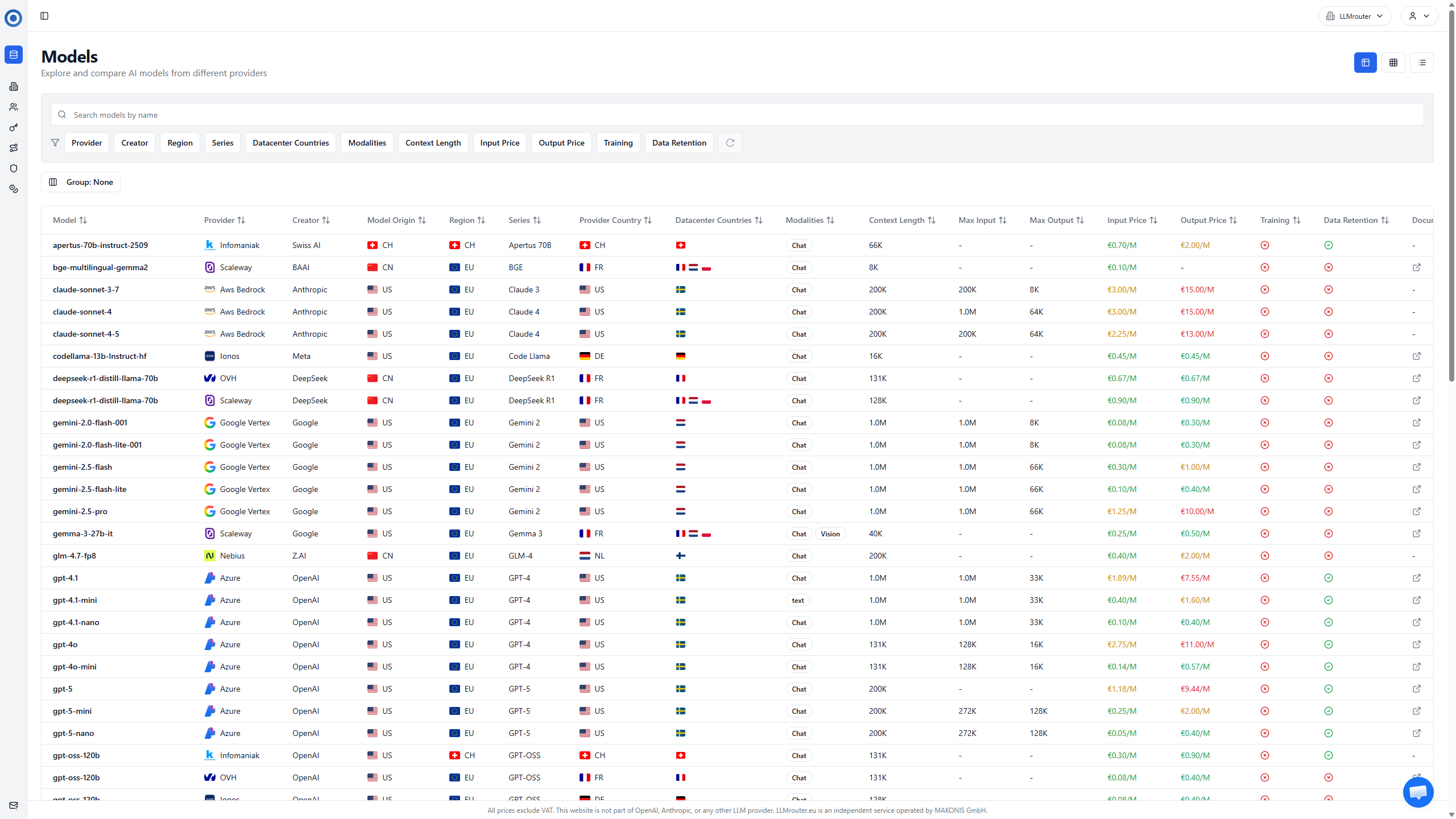
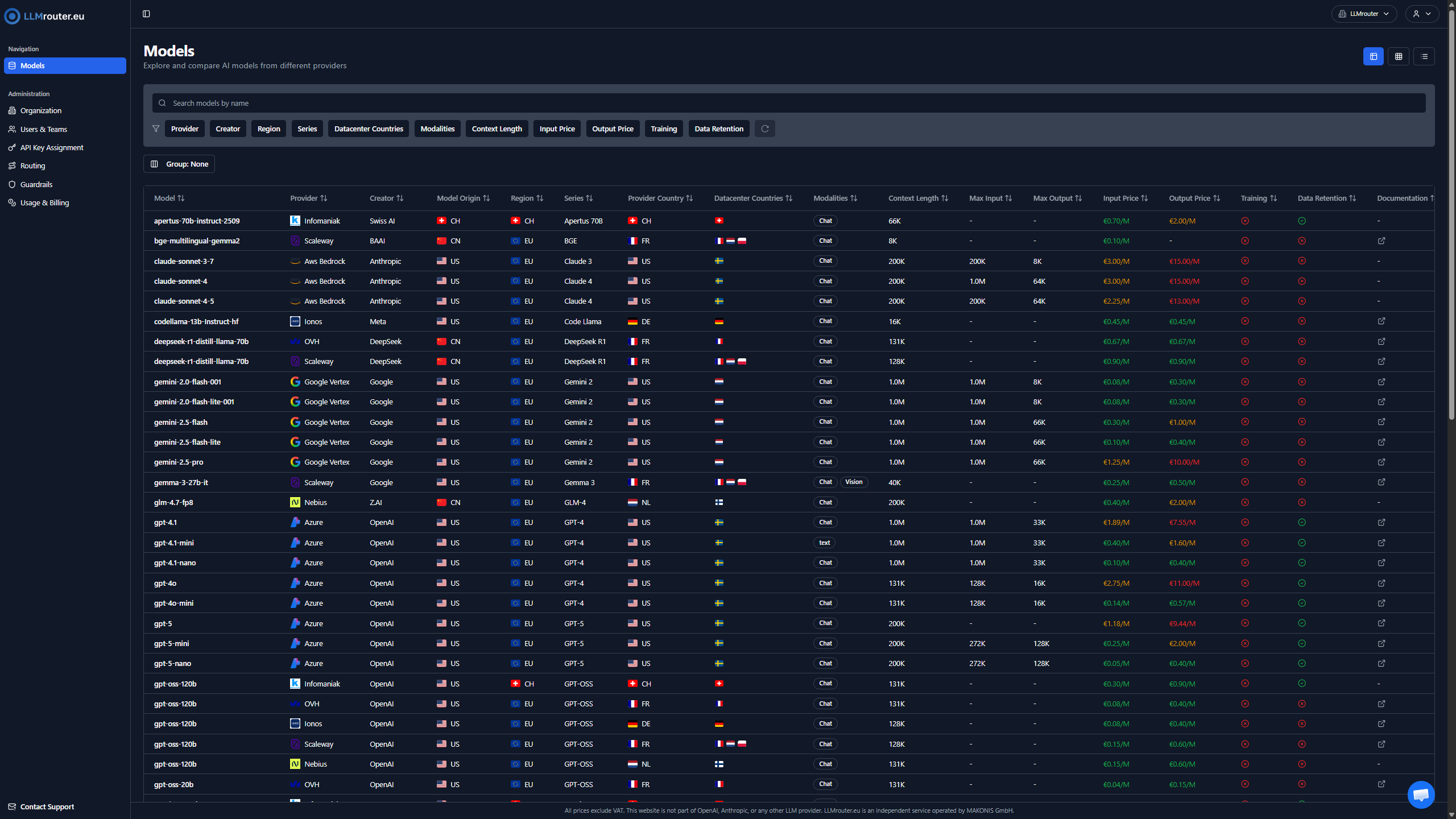
Figure 1: Overview of available AI models and providers
Key Features
- Model Search: Use the search box to quickly find a specific model.
- Filters: Refine your search by provider, region, price range, and more.
- Grouping: Group models by provider, region, or series for easier comparison.
- Sorting: Sort models by price, token limits, or other criteria to find the best option for your needs.
- Model Cards: For mobile users, models are displayed as cards with key information for easy browsing.
Filters
You can apply multiple filters simultaneously to narrow down the list of models. For example, you can filter by provider (e.g., AWS, Azure), region (e.g., US, EU), and price range to find models that meet your specific requirements.
In depth filtering exists for the region and country of the provider as well as the countries the data centers are located in. This allows you to find models that comply with data residency requirements.
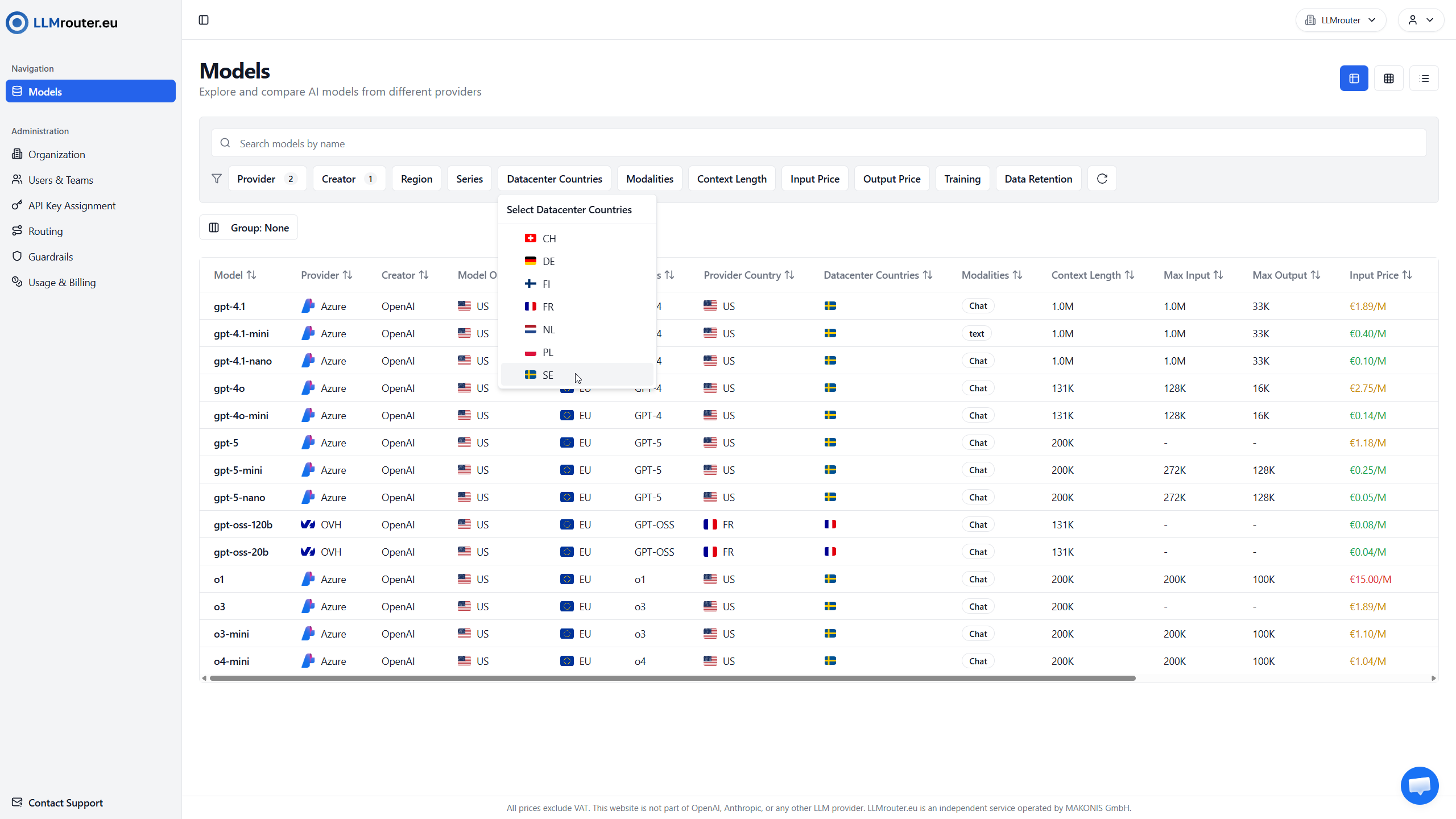
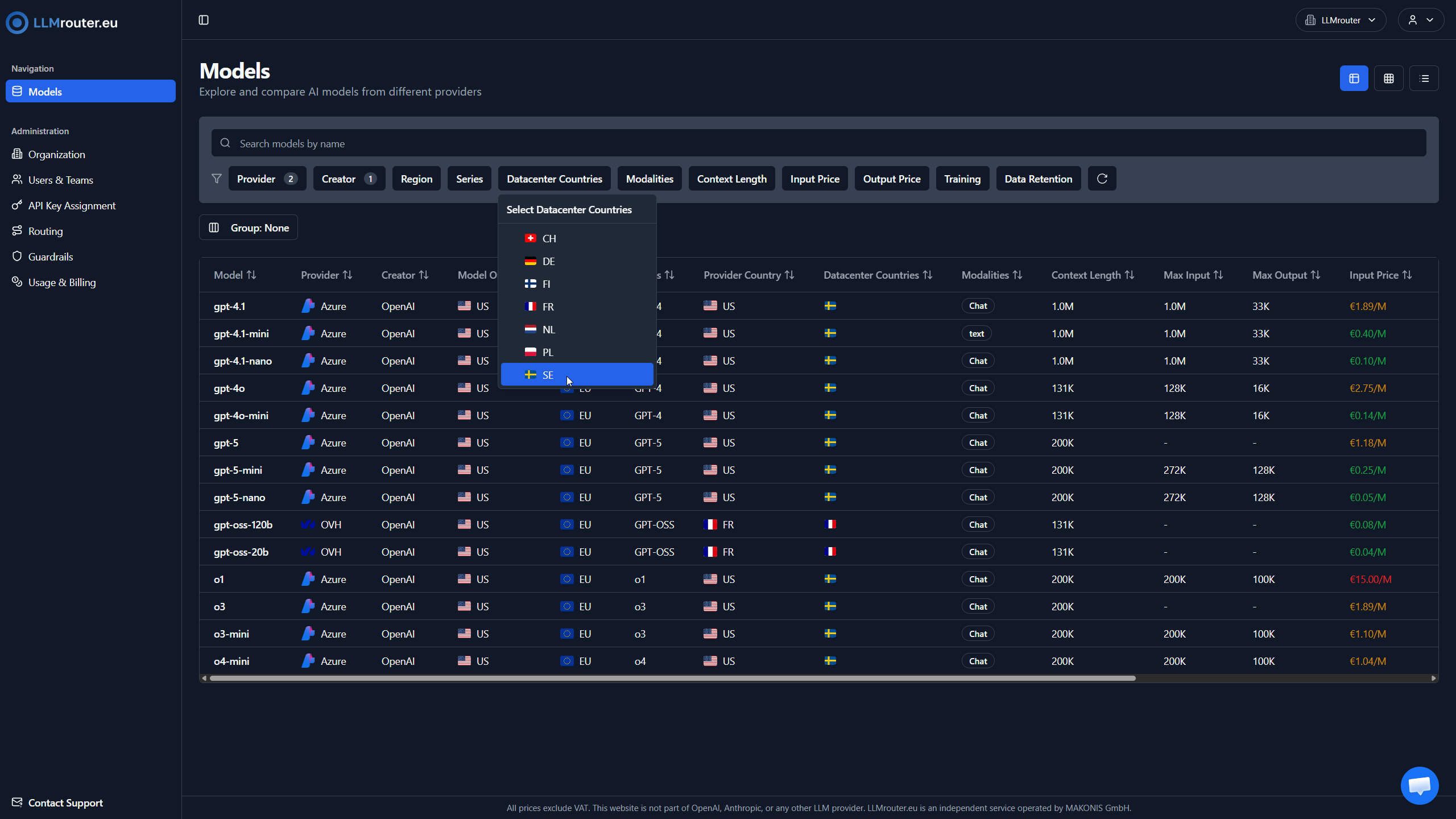
Figure 2: Filtering options for AI models
Grouping
Grouping allows you to organize models based on specific attributes such as provider, region, or series. This feature helps you quickly compare models from the same provider or region, making it easier to identify the best option for your use case.
For example, grouping by provider will show all models from AWS together, allowing you to compare their specifications and pricing side by side.
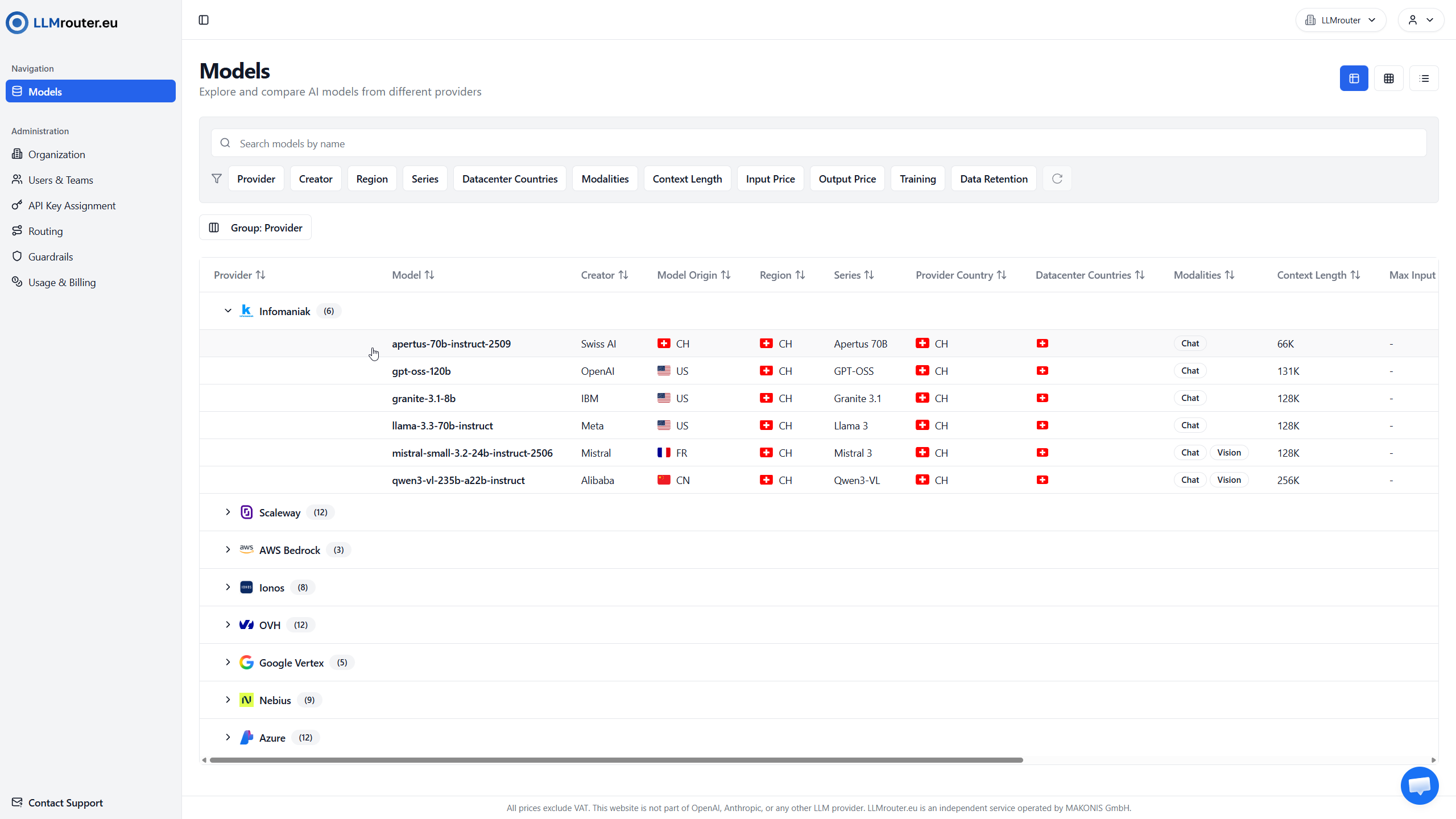
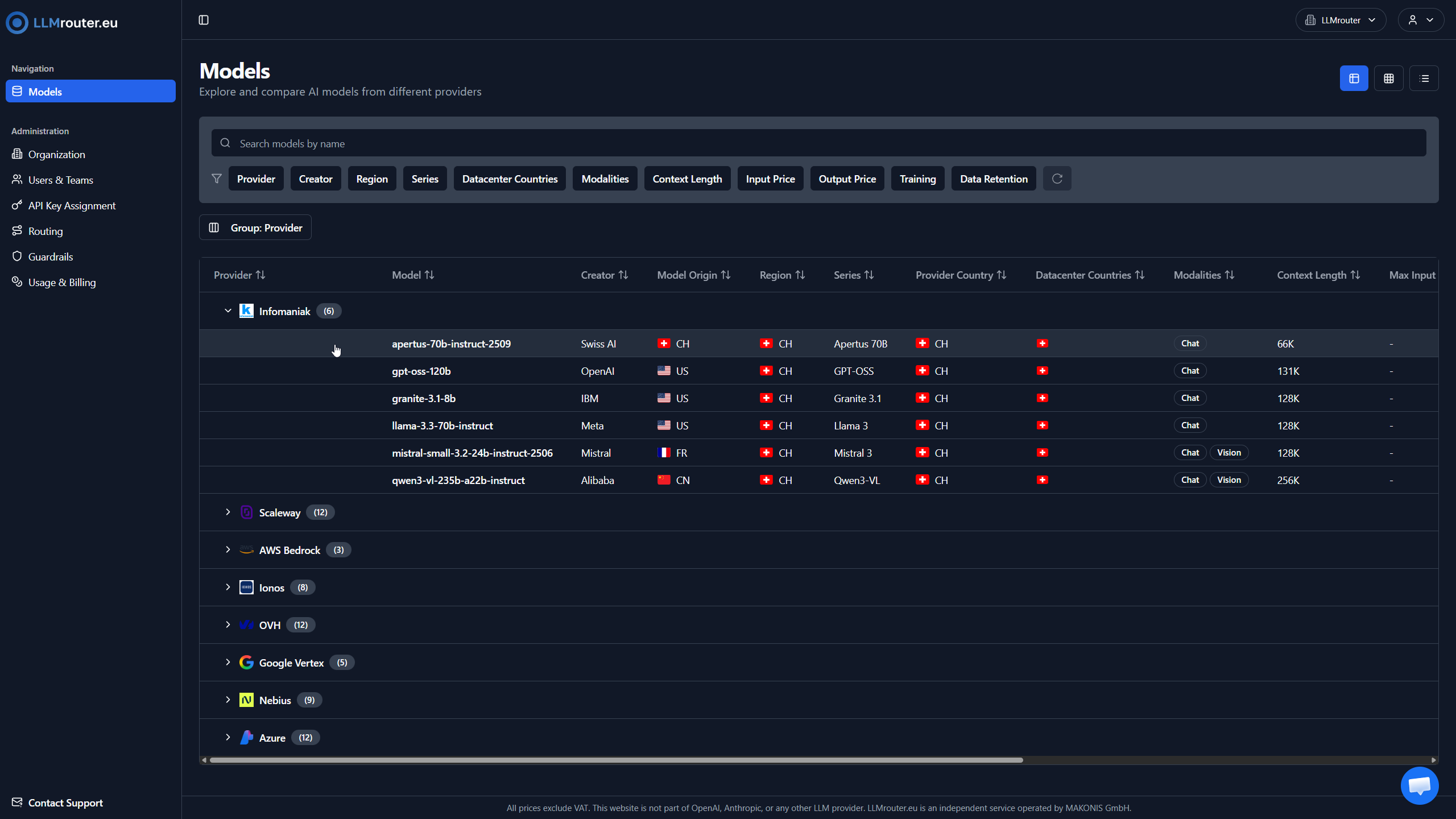
Figure 3: Grouping options for AI models by provider
Grouping by series on the other hand will show all models that belong to the same series (e.g., GPT-OSS) together, regardless of their provider or region. This allows you to compare different versions of the same model series and choose the one that best fits your needs.
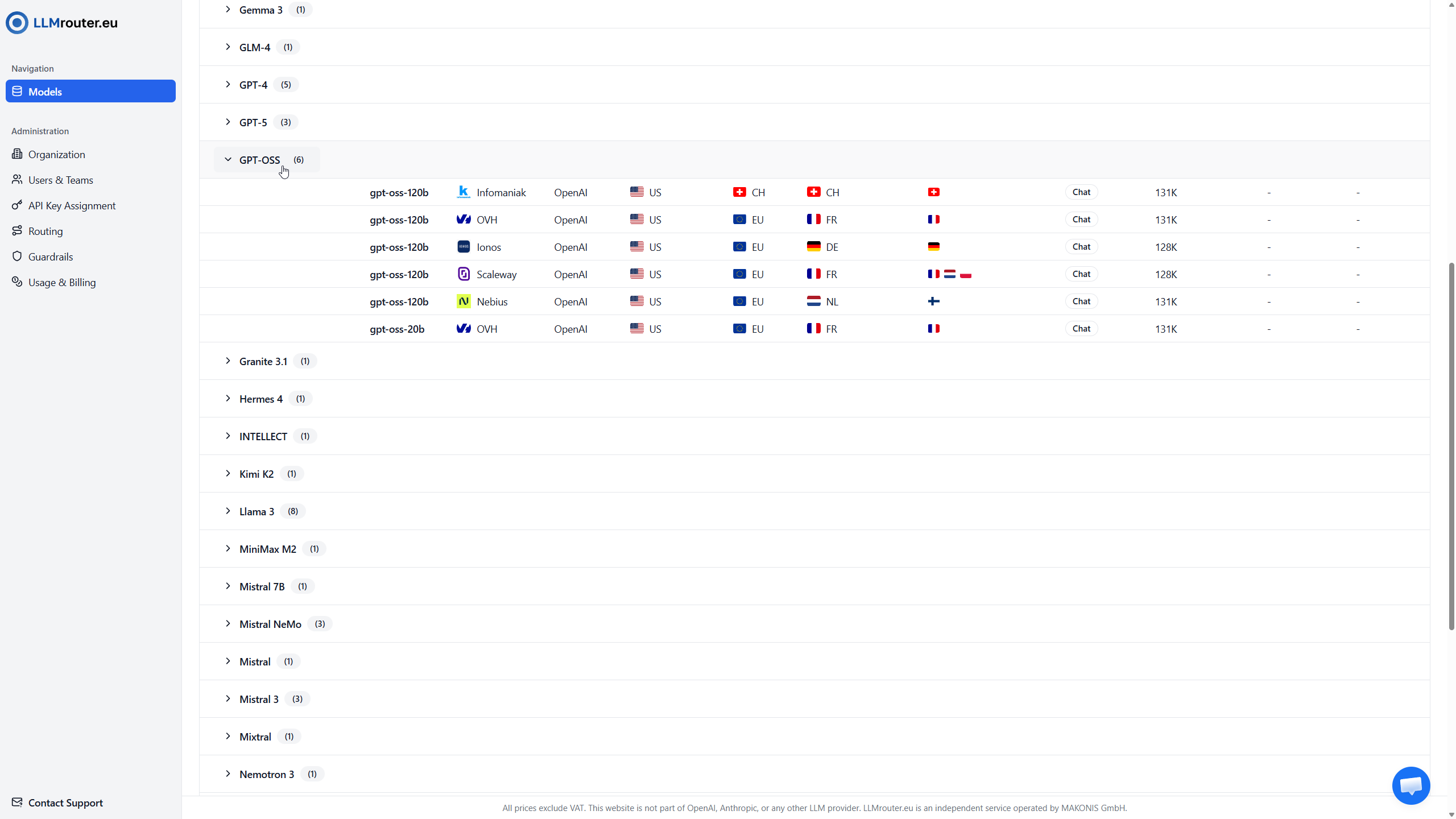
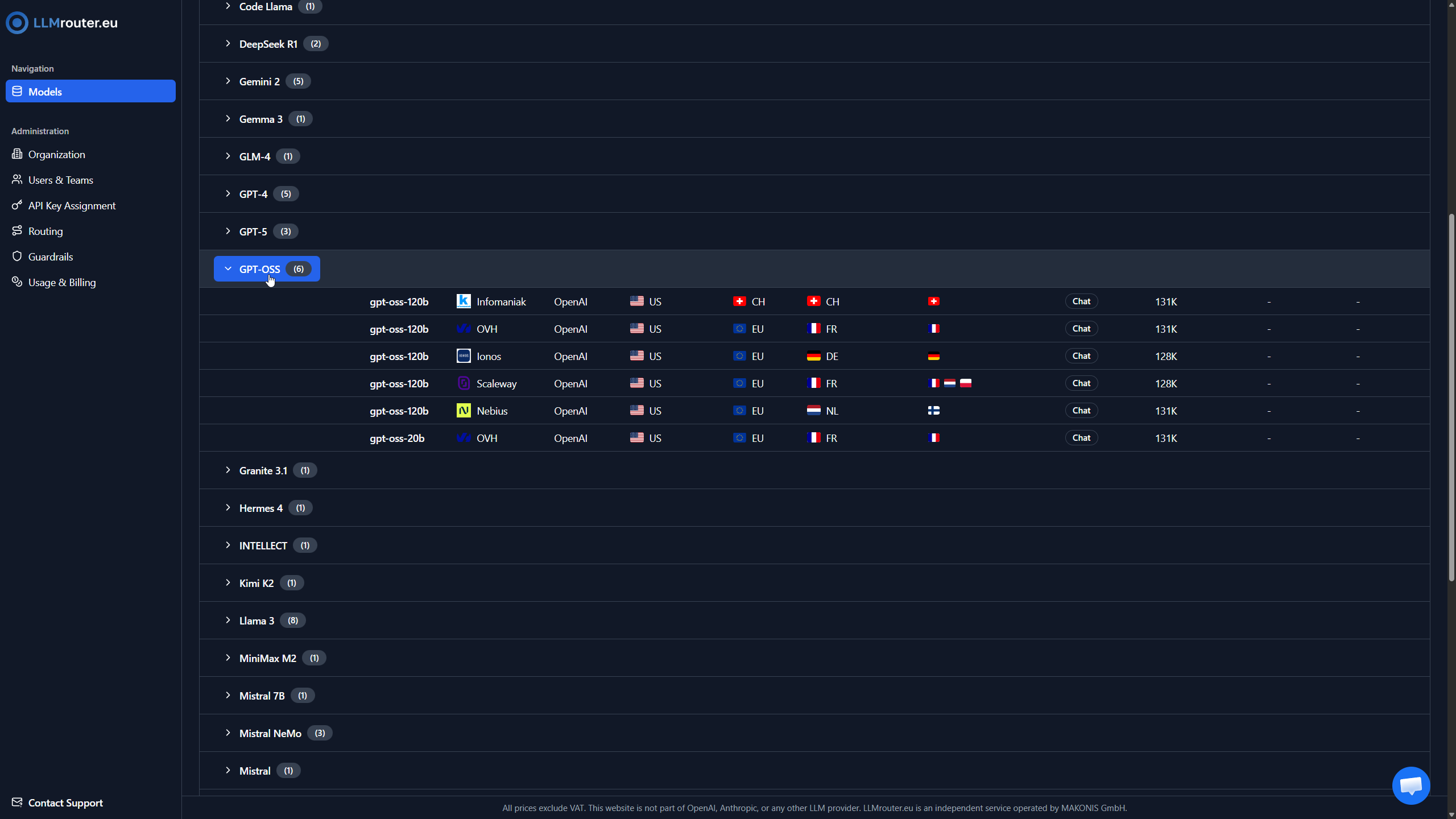
Figure 4: Grouping options for AI models by series
Model Details Page
When you click on a model, you are taken to the model details page. This page provides comprehensive information about the selected model, including specifications and pricing.
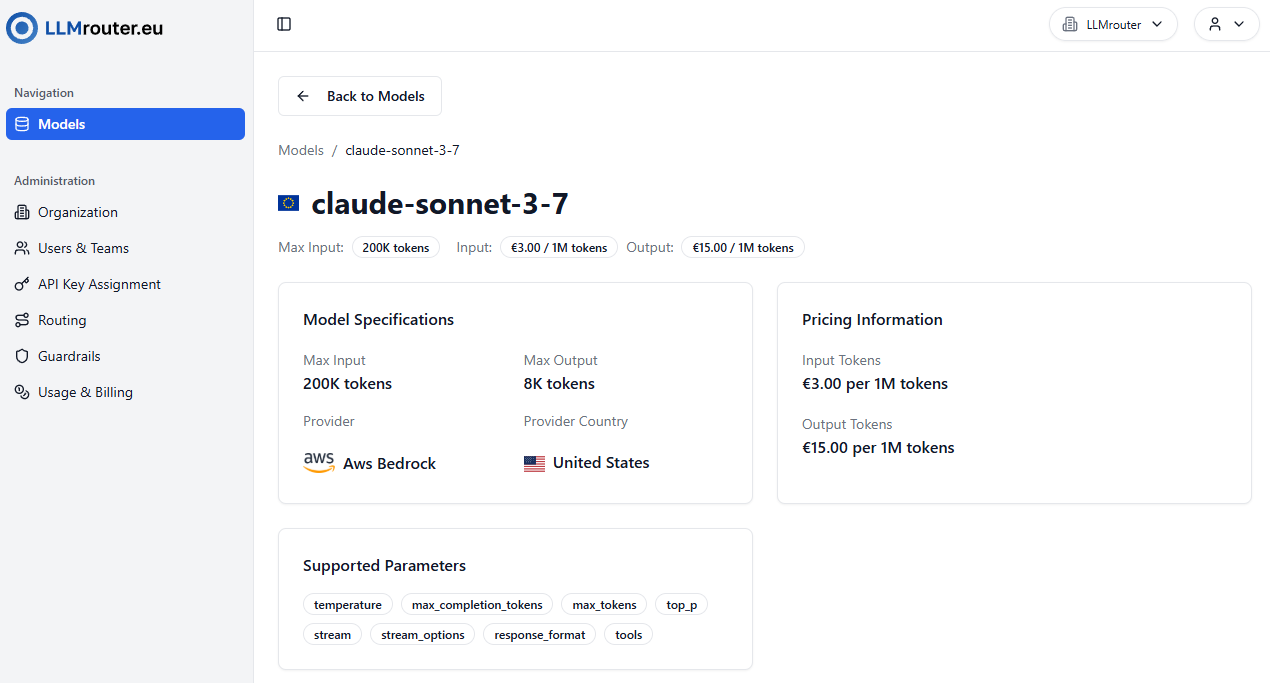
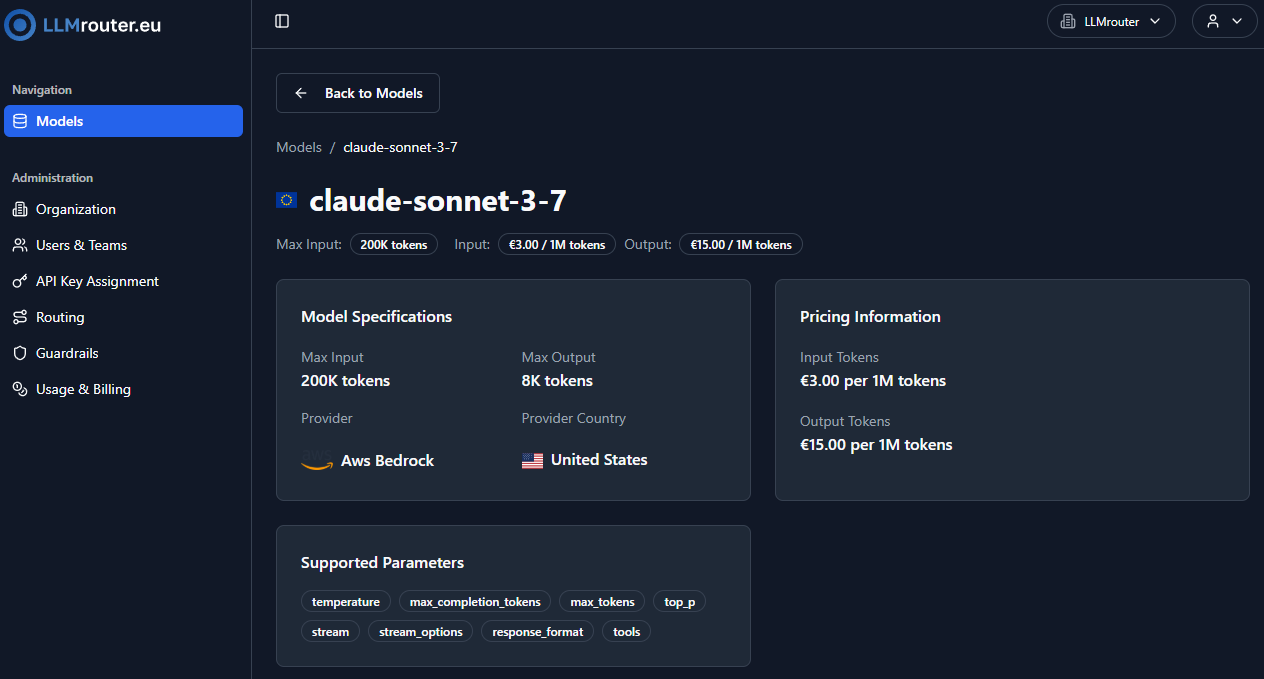
Figure 5: Model details view for Claude Sonnet 3.7
What you see on the details page:
- Model Name & Provider: Clearly displays the model name (e.g.,
Claude Sonnet 3.7) and its provider (e.g., AWS Bedrock). - Token Limits: Maximum input and output tokens per request (e.g., 200K input, 8K output).
- Pricing: Transparent cost per 1M input and output tokens (e.g., €3.00 / 1M input tokens, €15.00 / 1M output tokens).
- Model Specifications: Section summarizing max input, max output, and provider.
- Pricing Information: Section summarizing input and output token prices.
- Supported Parameters: Details about the parameters supported by the model.